
Running a campaign
Everything from creating a campaign to review and upload
Everything from creating a campaign to review and upload
Click the [Create campaign] button on the business site (biz.glowb.io) to get started.
You can set any budget starting from ₩600,000 for Value campaigns and ₩1,500,000 for Custom recruitment campaigns.
After reviewing the list, you can request a re-recruitment once, for a fee of ₩100,000.
If you're still not satisfied after re-recruitment and request a cancellation, we'll refund the amount minus ₩300,000.
Yes. Assigning a concept per creator costs an additional ₩10,000 per creator.
You need to use at least 80% of your initial budget. There's no separate minimum headcount.
By default, you get one revision on the script and one on the video and caption.
Edits that can be handled in post — such as subtitle changes, reordering, or cutting clips — can be requested at no extra cost. (Fixes for guideline violations don't count toward your revisions.)
Revisions, reshoots, or additional shoots outside the guideline cost an extra ₩50,000.
Yes — editing, re-cutting, and using the videos on other platforms are all allowed as long as you stay within the secondary usage period. (Overseas campaigns vary by country.)
Yes, we do.
The clean version is the final video with subtitles, editing effects, and background music removed, keeping only the narration.
To avoid confusion, direct communication isn't available while a campaign is running. You can only send comments through the website.
Once the campaign ends, feel free to contact creators directly.
Standard: about 3 weeks from recruitment to video production, review, and upload. (One storyboard review + one video and caption review)
ASAP: about 2 weeks. (Video review only, additional fee applies)
Creator rates vary by category and reach.
For consumer goods such as beauty, rates typically range from ₩150,000 to ₩500,000; other categories vary by creator.
The more demanding the guideline, the higher the rate tends to be.
Most categories are available, including beauty, beauty devices, IT apps, convenience foods, fashion, home, and lifestyle.
However, some products may not be approved depending on their nature.
Recruitment is based on that guideline, so it can't be edited once recruitment has started.
Please review the guideline thoroughly before finalizing it.
A 10–20% fee is included in the video production cost.
If we also run your ads for you, a separate 10% management fee applies. (Varies by category and country)
1. Create the campaign and wait for approval
2. Finalize the guideline
3. Select creators + enter shipping details
4. Review scripts
5. Review videos
6. Check revisions
7. Confirm upload
Complete these 6 steps by their deadlines to keep your campaign running smoothly.
1. Finalize the guideline
2. Select creators
3. Enter shipping details
4. Review scripts (for campaigns with 2 reviews)
5. Review videos
6. Confirm upload
If a creator declines for personal reasons before signing the contract, they're removed from the list and we'll guide you through selecting a backup creator.
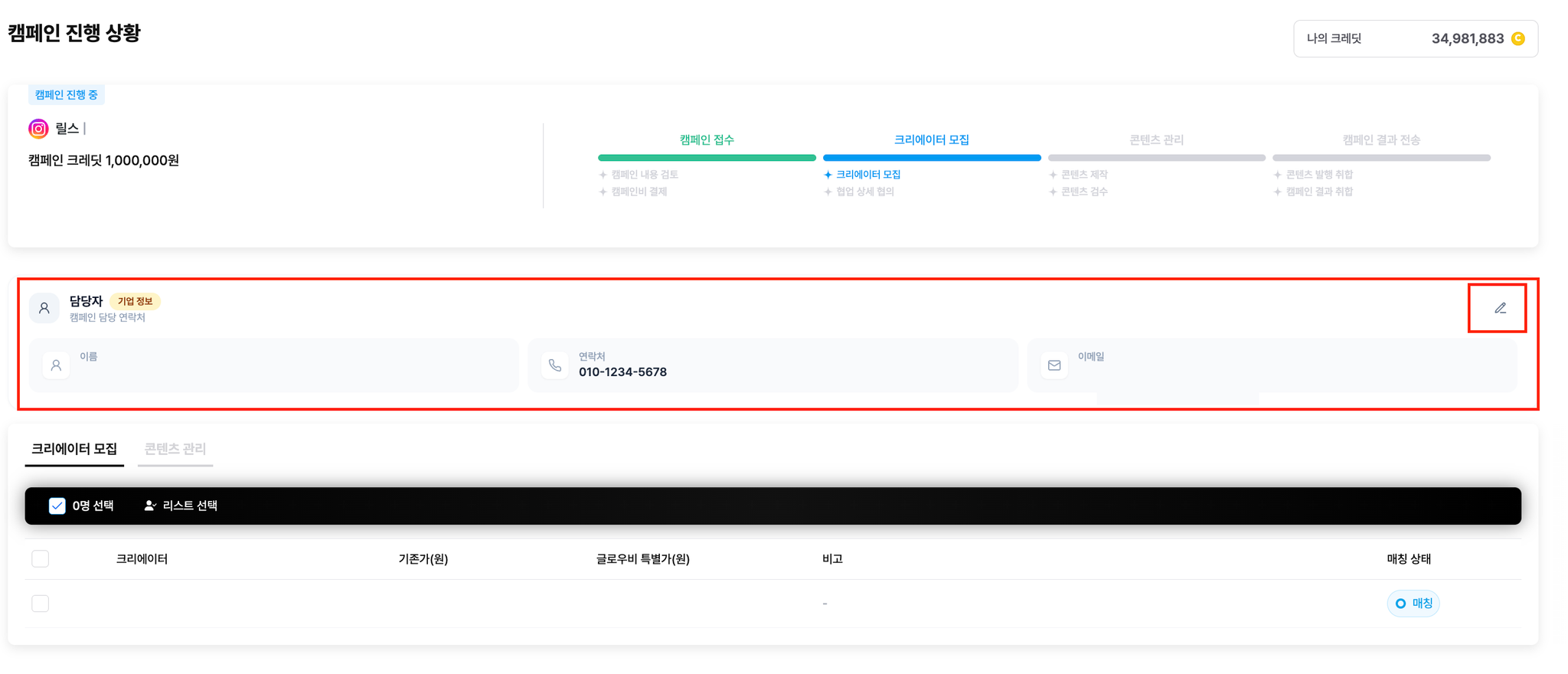
You can update the manager's details (email and phone number) yourself on My Page in the campaign dashboard.
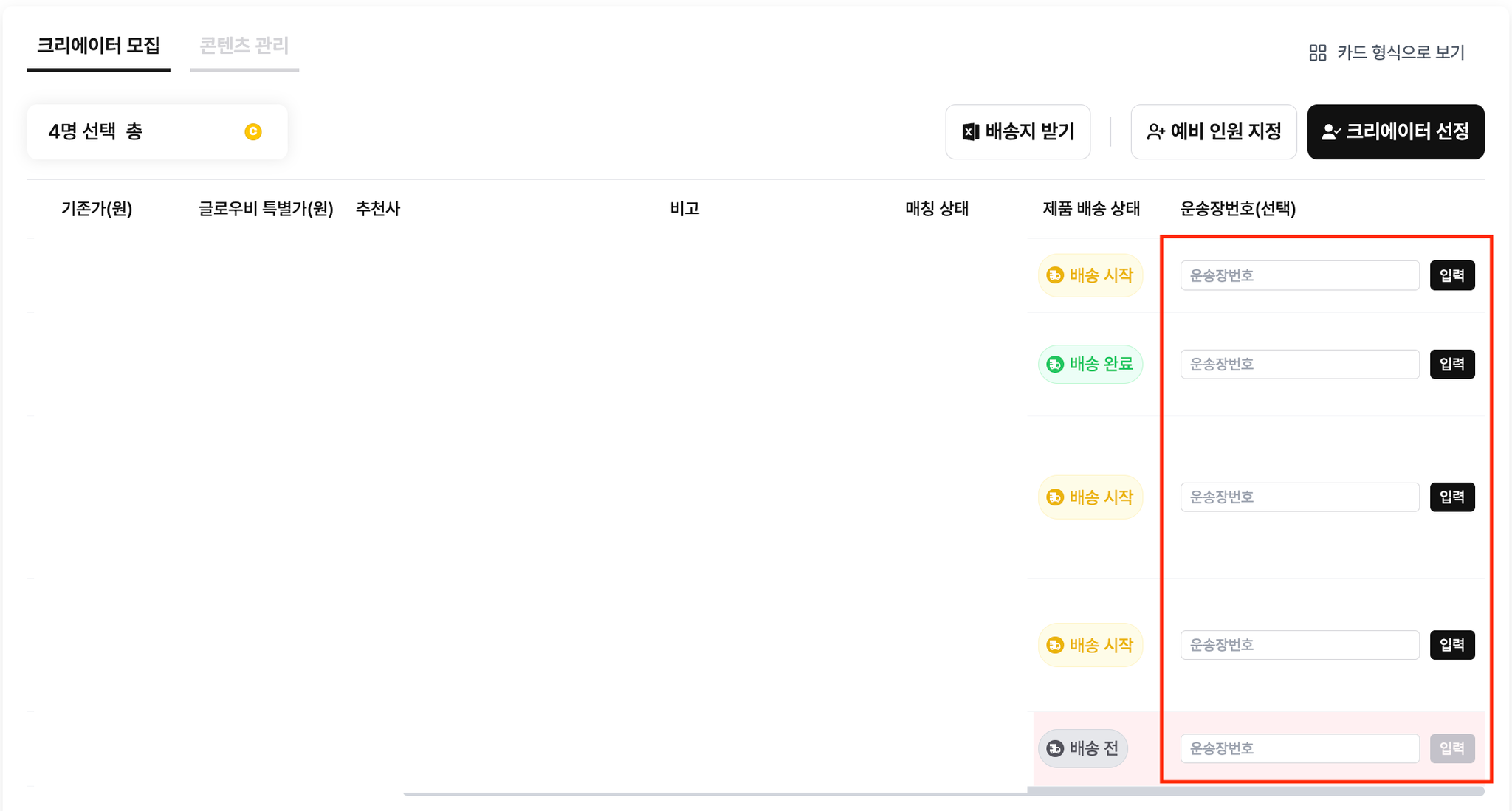
To view content, you first need to enter the shipping details in the campaign dashboard.
If shipping details aren't entered, your campaign may be delayed.
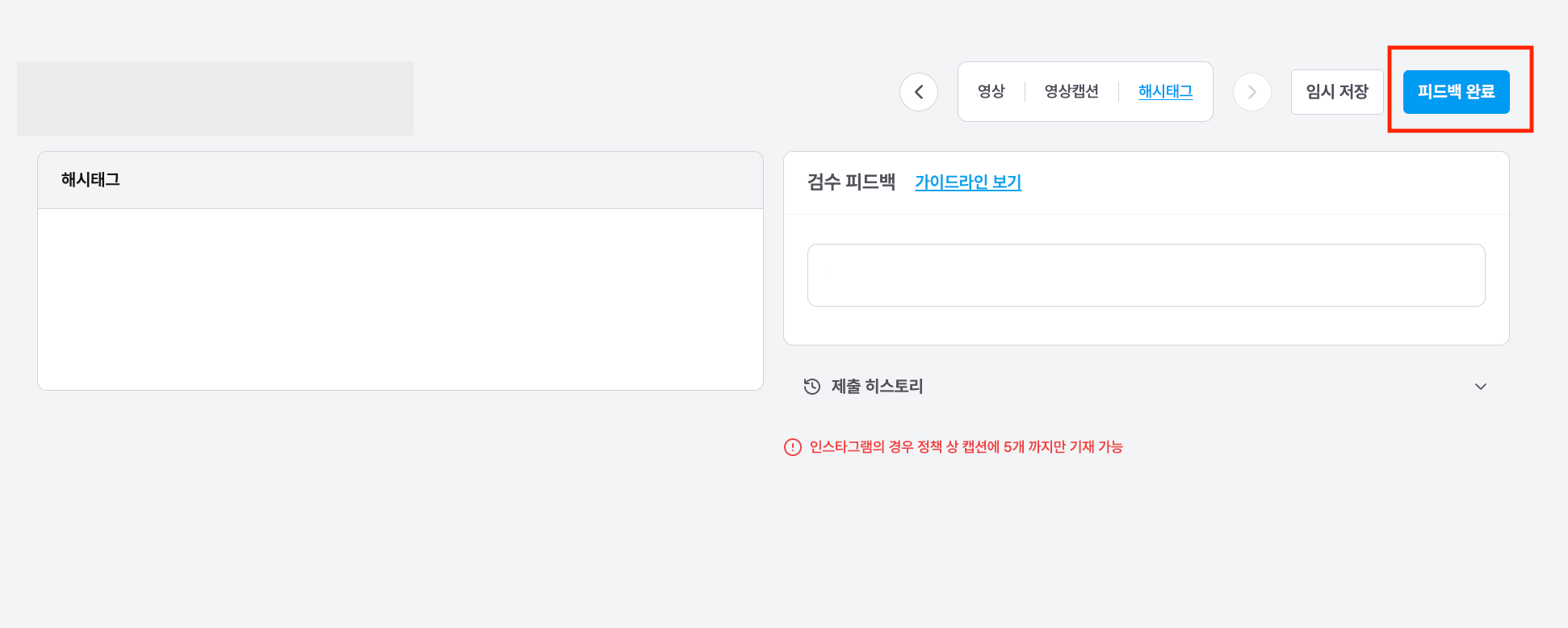
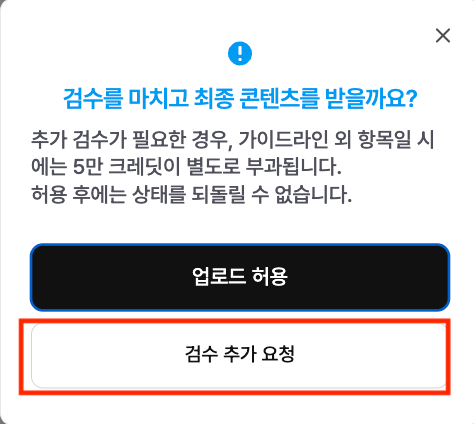
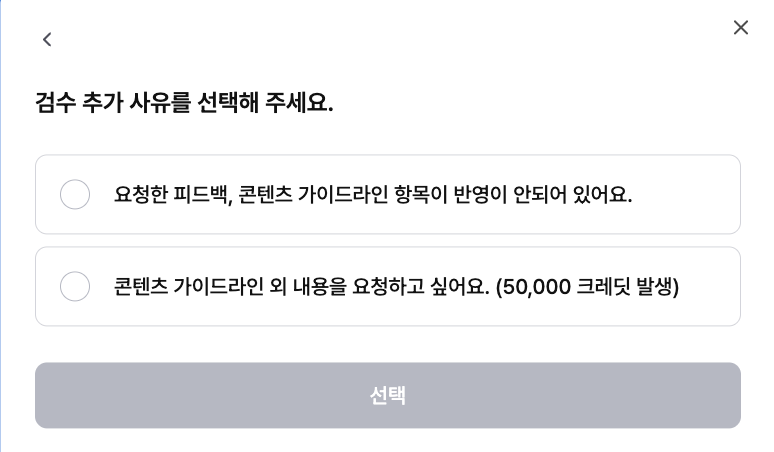
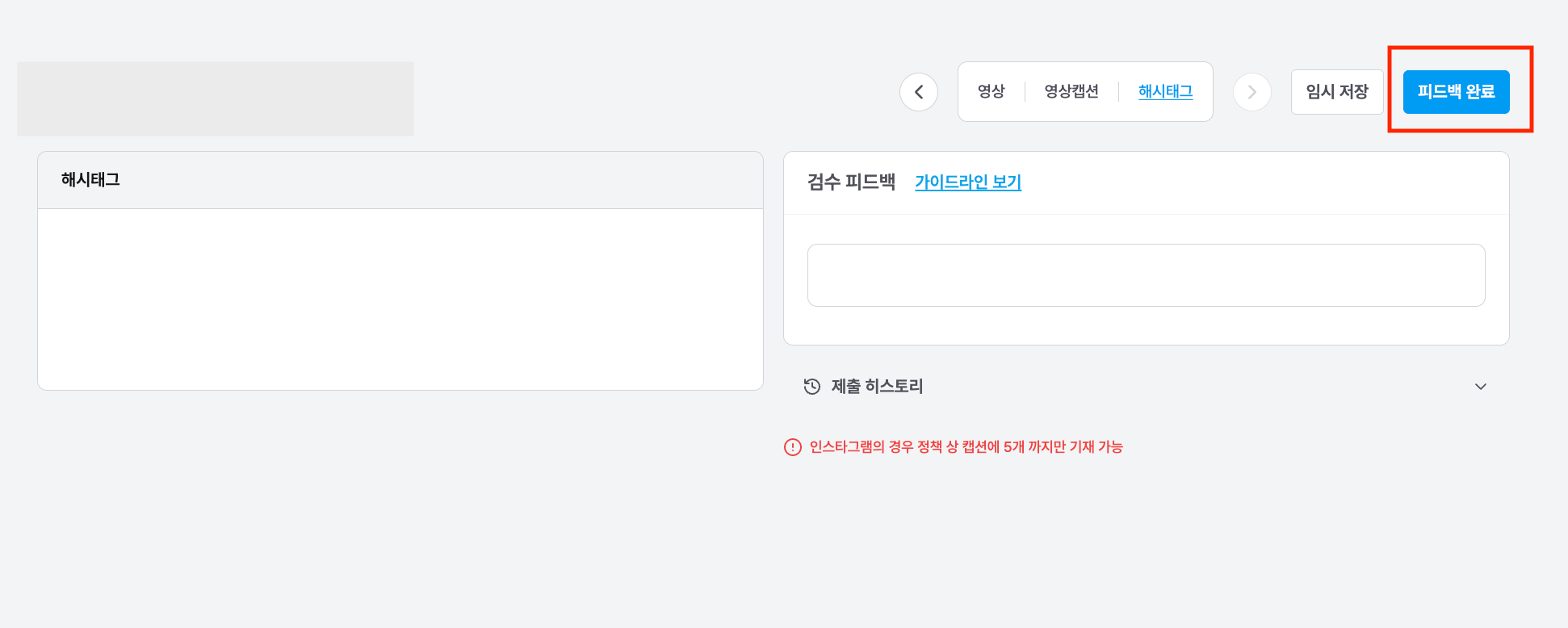
Click [Complete feedback] in the review results to request an additional review (revision request).
Additional reviews outside the guideline deduct extra credits.
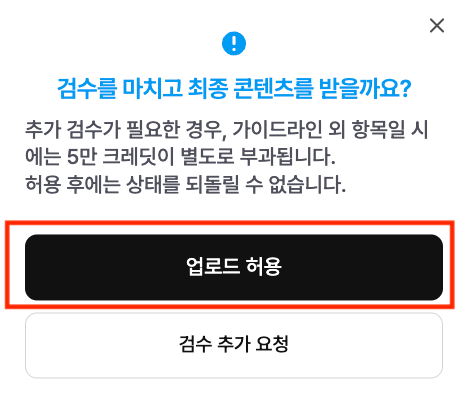
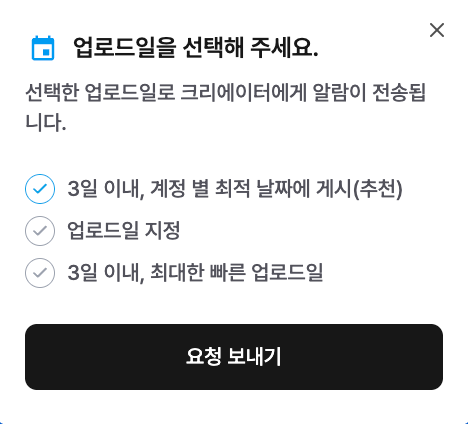
Yes, you can set the upload date once the review is complete.
Enter your preferred date in the Allow upload menu of the campaign dashboard.
Send additional concept requests through your sales representative (channel), and we'll pass them on to the creators.
If content is judged to carry a risk under advertising law, parts of it may be removed or adjusted to protect the creators.
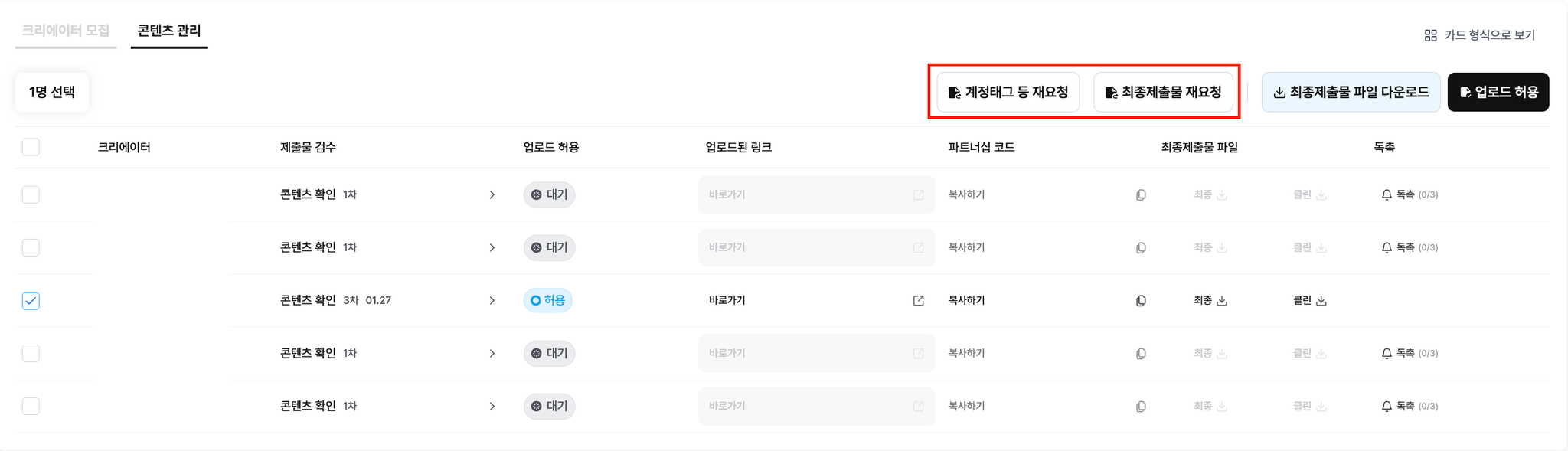
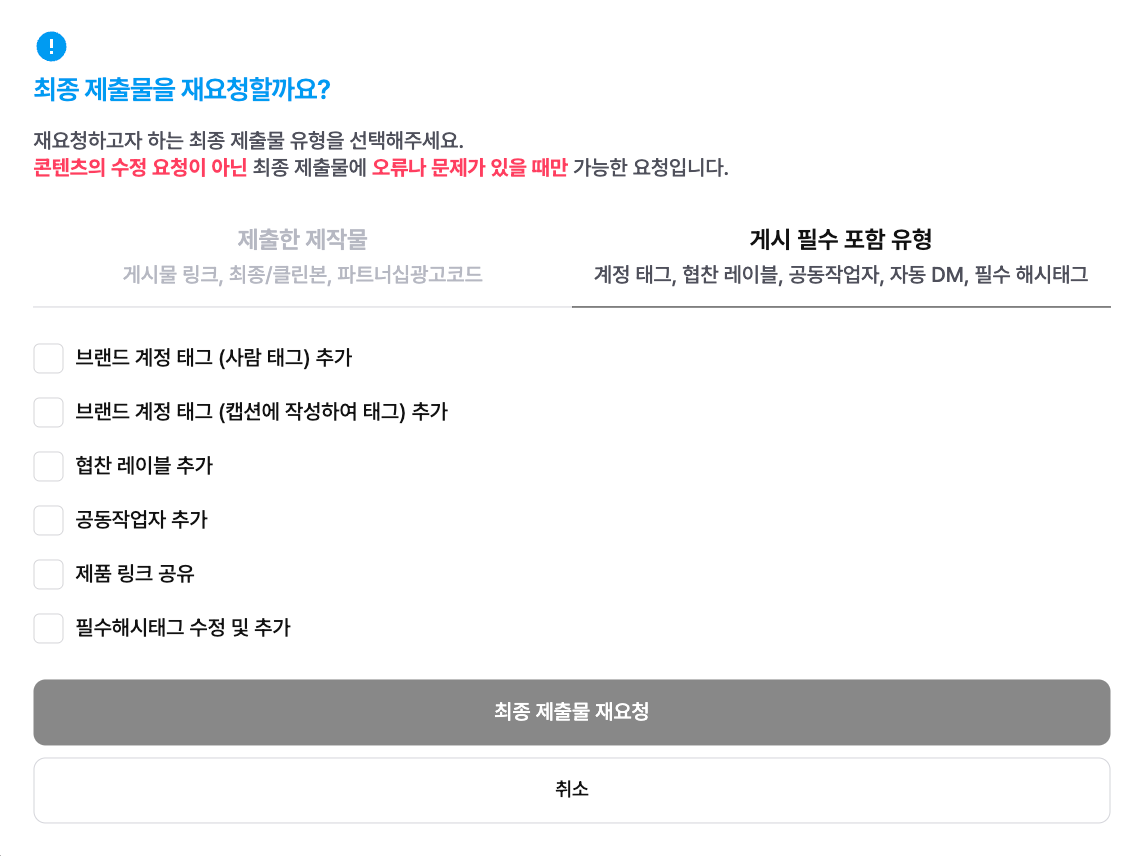
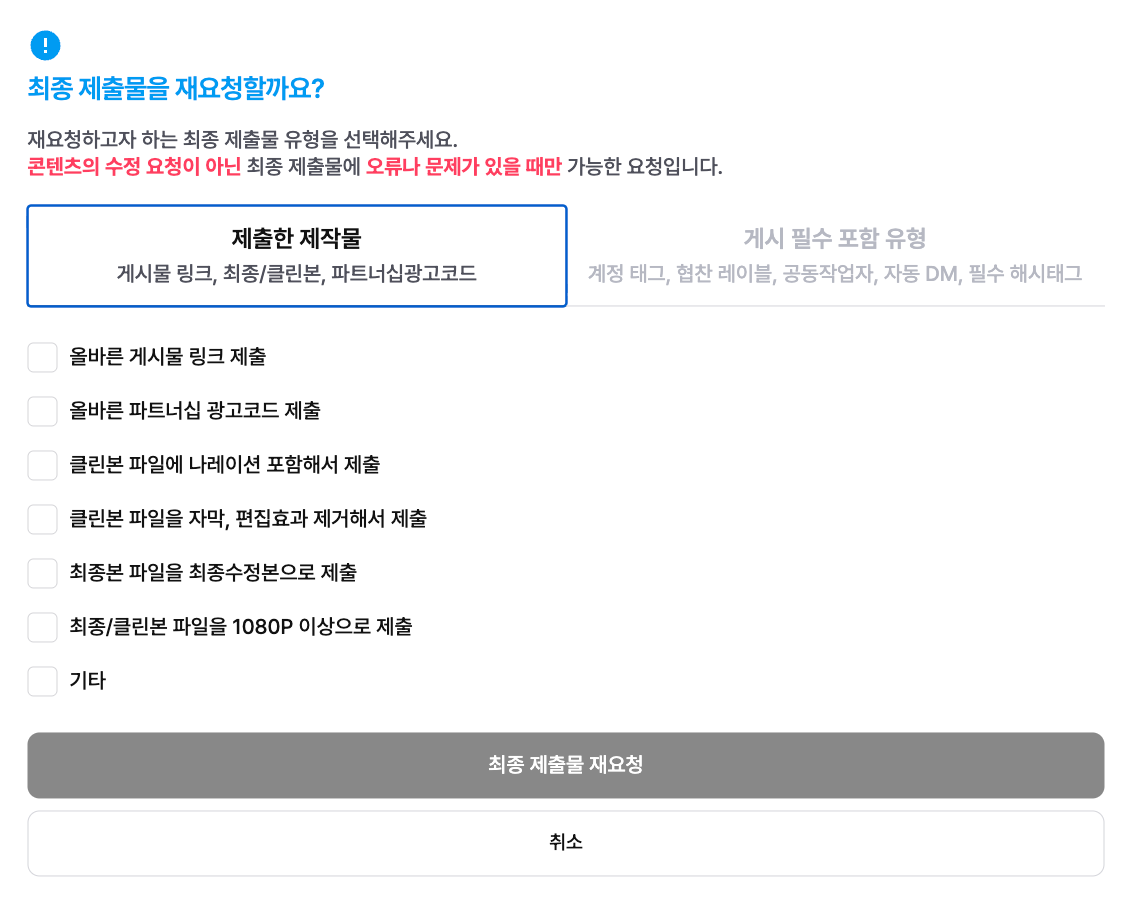
Use the [Re-request account tags, etc.] or [Re-request final submissions] button in the campaign dashboard.
Hover over each button to see a tooltip explaining when to use it.

Can't find what you're looking for?Message the Glow.B KakaoTalk channel and we'll get back to you quickly.
Contact us